Open up iPhone Camera Quickly
Where to open up iPhone camera quickly to catch a great moment? It takes too long to unlock my screen then find the camera button to take a photo.
✍: FYIcenter.com
 Here are some fast ways to open your iPhone camera:
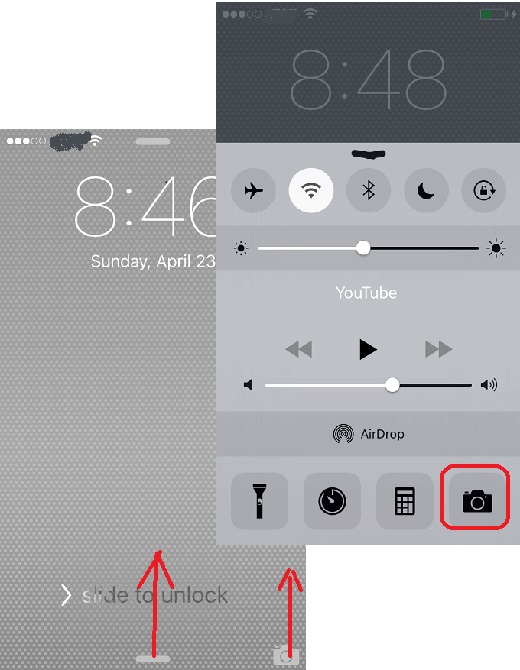
1. If your iPhone screen is locked, no need to unlock it. Just swipe up the camera icon near the bottom right corner. Your camera will be up and running immediately.
2. You can also swipe up the bottom line of the screen (works for both locked and unlocked screen) to open the Control Center. Then tap the camera icon near the bottom right corner. Your camera will be up and running immediately.
The picture below shows you how to open up iPhone camera quickly:
⇒ Where is iPhone Camera Shutter
2017-10-23, ∼3108🔥, 0💬

