Use iPhone Camera Burst Mode
What is the burst mode on my iPhone camera? And how to use the burst mode?
✍: FYIcenter.com
 Burst mode of iPhone camera will take photos at up to 10 photos per second continuously.
This is very useful when taking a photo of a child, or an action shot.
With so many photos taken in a short period of time, you can always find one of
them catches the perfect moment.
Burst mode of iPhone camera will take photos at up to 10 photos per second continuously.
This is very useful when taking a photo of a child, or an action shot.
With so many photos taken in a short period of time, you can always find one of
them catches the perfect moment.
Using burst mode on iPhone camera is easy, just follow these steps:
1. Open up your iPhone camera in PHOTO mode and point the camera to the subject.
2. Tap and hold on the shutter icon on the screen,
or push and hold on the volume-up button on your iPhone.
 You hear a number of shutter sounds.
3. Release your hand to stop taking photos.
4. Open Photos app to select the best photo and delete others.
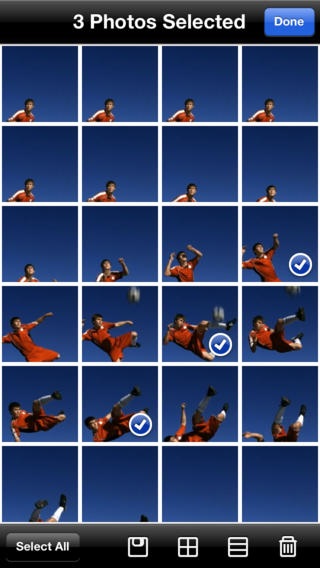
The picture below shows you how burst mode can be used to capture great moments of action:
⇒ Adjust iPhone Camera Focus Manually
2017-10-23, ∼4361🔥, 0💬

