Push Notification Messages to FitPro Device
Q
How to push notification messages to FitPro device?
✍: FYIcenter.com
A
 If you want to receive app notification messages on FitPro device,
you need to follow these steps to enable the message push function.
If you want to receive app notification messages on FitPro device,
you need to follow these steps to enable the message push function.
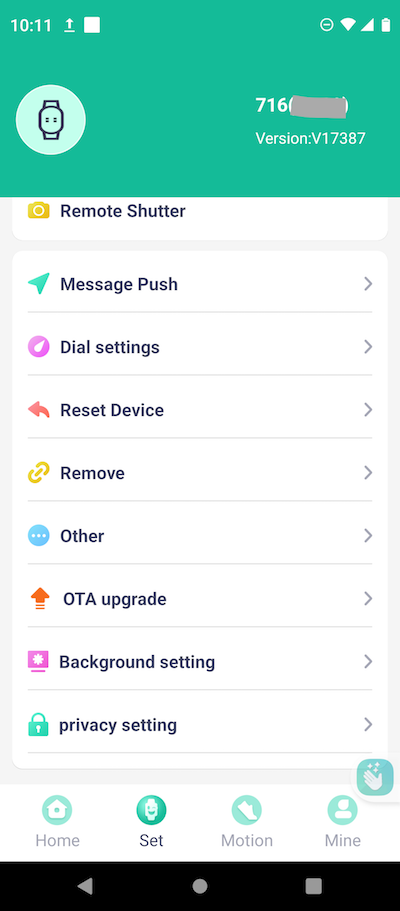
1. Open FitPro app on your cell phone and tap on "Set > Message Push".
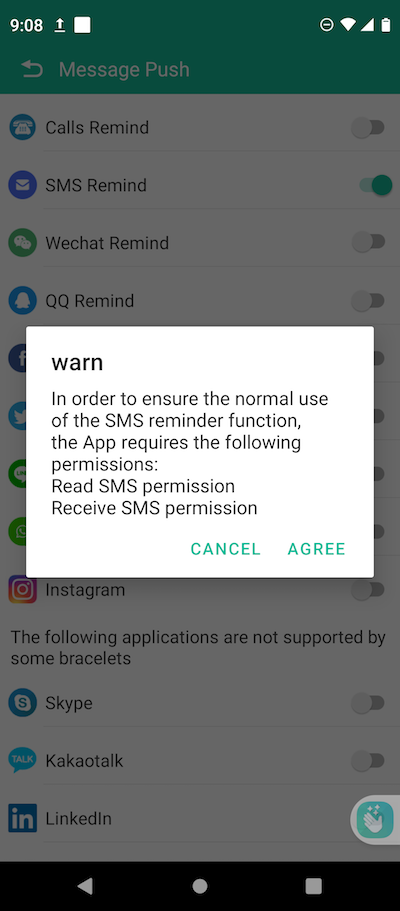
2. Enable the notification message push function for each app.
3. Tap on "Agree", if FitPro promts for access permission. For example, pushing SMS text messages to FitPro device requires "Read and Receive SMS permission".
2025-04-05, ∼3606🔥, 0💬
Related Topics:

