Uninstall Third-Party App on LG Phone
Q
How to Uninstall Third-Party App on my LG Phone? I don't need the app any more.
✍: FYIcenter.com
A
 If you are not planning to use a Third-Party app, you can
uninstall it as shown in this tutorial.
If you are not planning to use a Third-Party app, you can
uninstall it as shown in this tutorial.
1. Go to "Settings > Apps". You see a long list of apps that are installed on your phone.
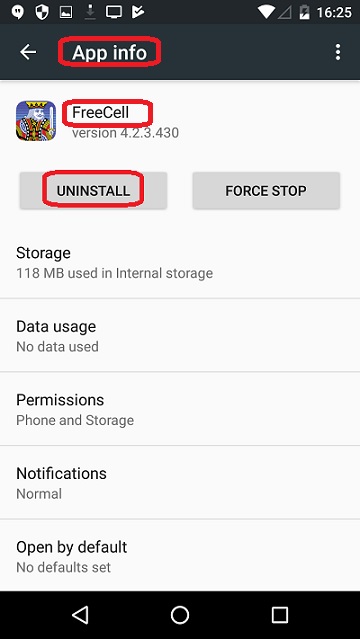
2. Tap "FreeCell" third-party app. You see detailed information of the "FreeCell" app.
3. Tap on "UNINSTALL". You see a confirmation message box.
4. Tap "OK" to confirm.
The "FreeCell" third-party app will be uninstalled and removed the phone.
The following picture shows you how to
Uninstall Third-Party App on your LG Phone:
⇒ Managing Google Account on LG Phone
2018-01-24, ∼3292🔥, 0💬
Related Topics:


