Create New Numbers Spreadsheet Document on iCloud.com
How to create a new Numbers spreadsheet document on iCloud.com? I want to use a Web browser to create a Numbers spreadsheet document.
✍: FYIcenter.com
 You can create a new Numbers spreadsheet document on iCloud.com
by following these steps:
You can create a new Numbers spreadsheet document on iCloud.com
by following these steps:
1. Login to https://www.icloud.com with a Web browser.
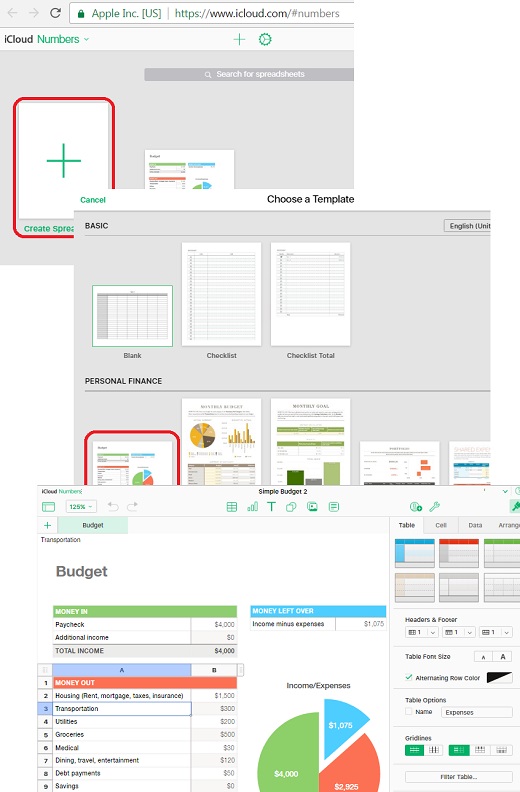
2. Click the "Numbers" box. You see a plus sign box and a list of your old spreadsheets.
3. Click the plus sign box. You see the template selection screen showing up.
4. Double-click on the template icon to select a template. You see your new spreadsheet document in edit mode.
5. Enter the content to your spreadsheet document. It will be saved in iCloud automatically.
The picture below shows you how to create a new Numbers spreadsheet document on iCloud.com:
⇒ Download Numbers Spreadsheet from iCloud in PDF Format
2017-08-03, ∼4509🔥, 0💬
Related Topics: