Using iCloud Pages with Web Browsers
Q
How to use Pages on iCloud.com with a Web browser?
✍: FYIcenter.com
A
 You can use Pages on iCloud.com with a Web browser
by following these steps:
You can use Pages on iCloud.com with a Web browser
by following these steps:
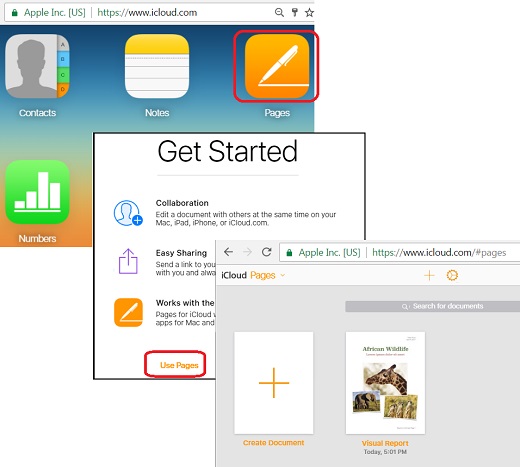
1. Login to https://www.icloud.com with a Web browser.
2. Click the "Pages" box. If this is your first using Pages and see the Pages welcome screen, click the "Use Pages" link. You see a list of your old documents.
3. Click the plus sign (+) box to create a new document or click any document icon to edit any exiting documents.
The picture below shows you how to use iCloud Pages with a Web browser:
2017-10-16, ∼3833🔥, 0💬
Related Topics: