Back Up iPhone with iTunes on Windows
Q
How to back up my iPhone to my Windows computer with iTunes?
✍: FYIcenter.com
A
 If you have iTunes for Windows installed, you can follow this tutorial
to back up your iPhone to your computer.
If you have iTunes for Windows installed, you can follow this tutorial
to back up your iPhone to your computer.
1. Connect your iPhone to iTunes as shown in the previous tutorial.
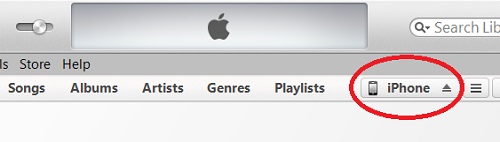
2. Click on the smart phone icon in the menu area. You see the summary information about your iPhone.
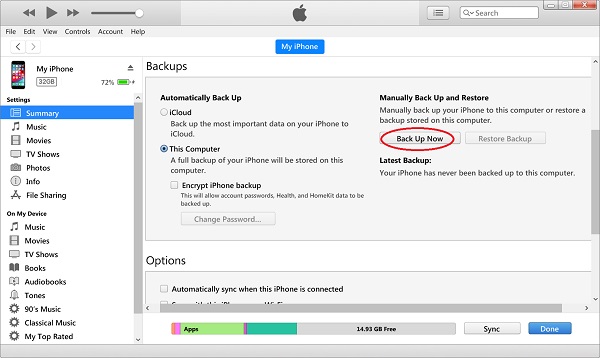
3. Click "Back Up Now" in the "Backups" section on the right side of the screen. iTunes will back up your personal data from your iPhone to this computer.
4. Wait for the backup process to finish.
⇒ iPhone Backup File Location on Windows
⇐ iPhone Factory Settings with iTunes on Windows
2014-04-29, ∼3934🔥, 0💬
Related Topics: