Background Services Created by System UI
What are background services created by System UI? Can I stop them to improve performance of my Motorola phone?
✍: FYIcenter.com
 System UI is an app for your Motorola phone that helps
you to take screenshots.
System UI is an app for your Motorola phone that helps
you to take screenshots.
There is 1 background service MotoTakeScreenshotService started by System UI under the com.android.systemui process.
1. Go to "Settings > Systems > Developer Options > Running Services". You see a list of apps, their running services, memory usages and execution times.
2. Tap on "System UI" in the list. You see that it has 1 process, which has 1 service.
Application: System UI
|- Process: com.android.systemui.screenshot
   |- MotoTakeScreenShotService

Memory usage: 45 MB, execution time 132:06:32.
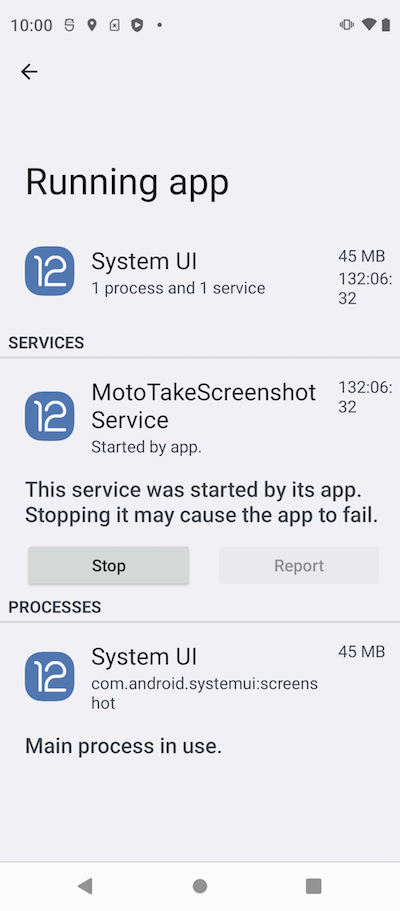
Do not stop this service, because it used to help you taking screenshots.
⇐ Background Services Created by Settings
2023-07-29, ∼7822🔥, 0💬
Related Topics:

