Background Services Created by Motorola Games
What are background services created by Motorola Games? Can I stop them to improve performance of my Motorola phone?
✍: FYIcenter.com
 Motorola Games is an app for your Motorola phone to support
MFL activities.
Motorola Games is an app for your Motorola phone to support
MFL activities.
There is 1 background Service MFLActivityDetectionService started by Motorola Games app under the com.motorola.gamemode process.
1. Go to "Settings > Systems > Developer Options > Running Services". You see a list of apps, their running services, memory usages and execution times.
2. Tap on "Games" in the list. You see that it has 1 process, which has 1 service.
Application: Games
|- com.motorola.gamemode
   |- Service: MFLActivityDetectionService

Memory usage: 24 MB, execution time 124:32:10
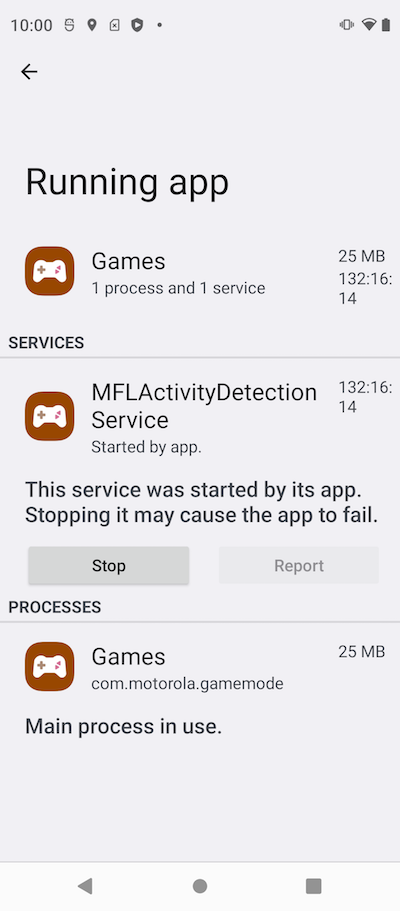
You can stop the "MFLActivityDetectionService" service, if you are not playing any games.
⇒ Background Services Created by Motorola Moto
⇐ Background Services Created by Google Search
2023-08-03, ∼7703🔥, 0💬
Related Topics:

