USB Connection of Motorola Phone
How to use USB connection on Motorola phone?
✍: FYIcenter.com
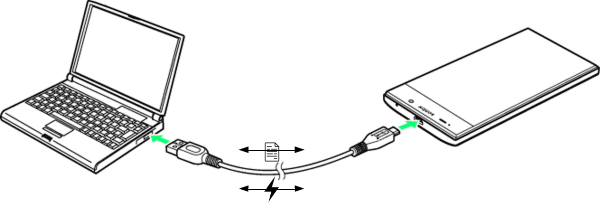
 Motorola phone comes with a USB cable for to connect your phone
to a USB socket for 2 purposes:
Motorola phone comes with a USB cable for to connect your phone
to a USB socket for 2 purposes:
1. Charge your Motorola phone - When your phone is connected to the USB socket of a power converter, a portable battery, or a computer, your phone will get charged automatically.
2. Transfer data from/to your phone - When your phone is connected to the USB socket of your computer, you have the option to allow special software on your computer to transfer data from and to your phone.
So the USB cable is capable to do things at the same time, charge the phone and transfer data.
But this feature is also security risk, when you connect your phone to a USB charge station in public places like shopping malls, airports, taxi vehicles. Criminals can install malware on those charge stations to steal personal data from your phone. This is call "juice jacking".
Federal Communications Commission has warned people to avoid using public USB charging stations. Always carry a power converter, or a portable battery, to charge your phone when traveling.
⇒ Transfer Files over USB Connection
⇐ Motorola Apps on Motorola Phone
2023-07-01, ∼6151🔥, 0💬
Related Topics:

