Security Settings on Motorola Phone
Q
What are security settings supported on Motorola phone?
✍: FYIcenter.com
A
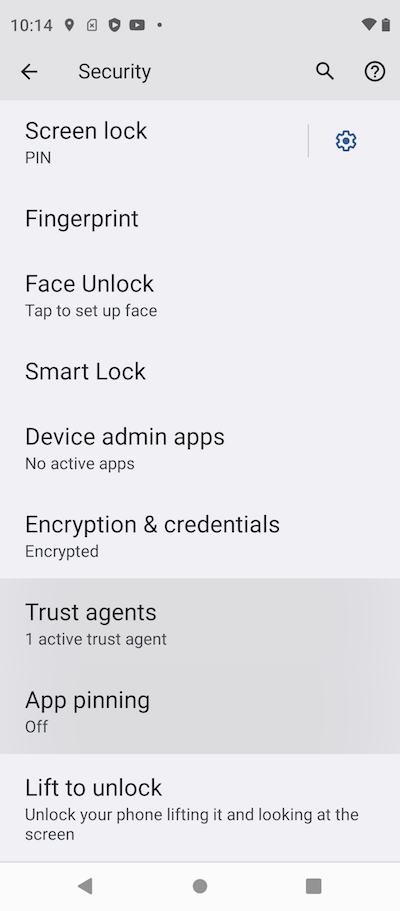
 You can go to "Settings > Security" to see a list
of supported security settings:
You can go to "Settings > Security" to see a list
of supported security settings:
Screen lock - Unlock screen with a pattern, PIN or password
Fingerprint - Unlock screen with your fingerprint
Face Unlock - Unlock screen with your face
Smart Lock - Keep phone unlocked at home, or near a trusted device
Device admin apps - Turn on "Find My Device" or "PAKS" for remote control
Encryption & credentials - Encryption option and password/certificates
Trust agents - Control "Google Smart Lock" option
App pinning - Keep the current app in view until you unpin it
Lift to unlock - Unlock phone by lifting it and looking at the screen
⇒ Lock Phone Screen with Pattern or PIN
⇐ Motorola Model Number Hierarchy
2023-06-19, ∼8980🔥, 0💬
Related Topics:

