Save PDF Books from Email to iBooks
How to save PDF books from email to my iBooks library? I received an eBook as an email attachment.
✍: FYIcenter.com
 You can follow this tutorial to save PDF books from email to iBooks library.
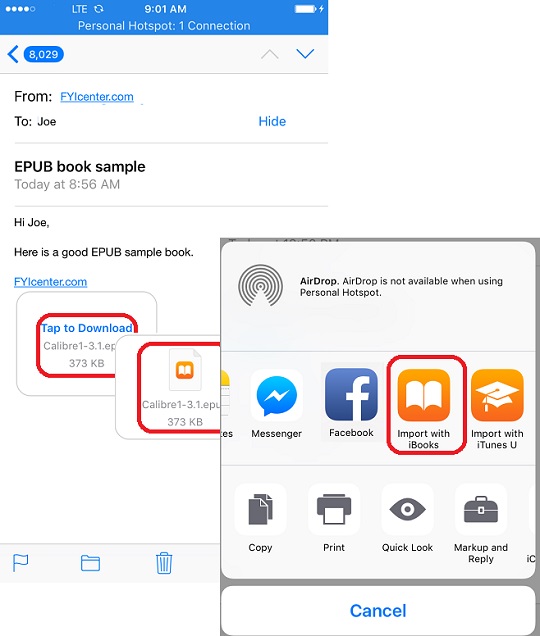
1. Open the email and locate the attached PDF book. You see the attachment icon.
2. Tap on the attachment icon to download the attachment first. You see the icon changed when download is completed.
3. Press and hold the attachment icon. You see save options.
4. Scroll to the right and select "Copy to iBooks". The eBook is saved in your iBooks library now.
The picture below shows you how to save PDF books from email to iBooks library:
⇒ Open and Read PDF Books on iBooks
⇐ Save Web Page as PDF in iBooks
2018-05-19, ∼4432🔥, 0💬
Related Topics:
