Open and Read PDF Books on iBooks
Q
How to open and read PDF books on iBooks? I have save several PDF books in iBooks library now.
✍: FYIcenter.com
A
 You can follow this tutorial to open and read PDF books on iBooks.
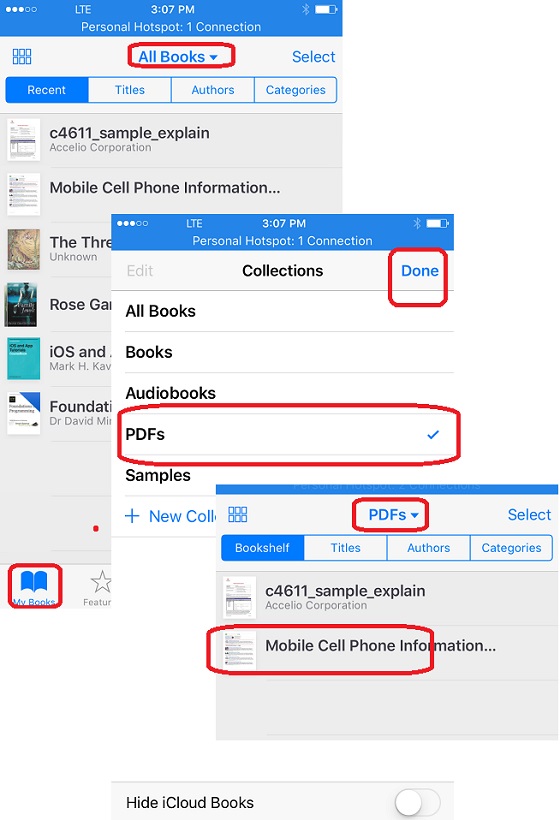
1. Launch iBooks and tap on "My Books" icon near the bottom of the screen. You see all books in your library.
2. Tap on "All Boos" dropdown. You see different types of books.
3. Select "PDFs" and tap on "Done". You see only PDF books listed.
4. Tap on any PDF book to open and read.
The picture below shows you how to open and read PDF books on iBooks:
⇒ Download PDF from Safari to iBooks Library
⇐ Save PDF Books from Email to iBooks
2018-05-08, ∼2614🔥, 0💬
Related Topics:
