View and Zoom in a Photo in iPhone Photos App
How to view and zoom in a photo from the Camera Roll in my iPhone Photos app?
✍: FYIcenter.com
 If you want to view and zoom a photo from the Camera Roll the in iPhone Photos app,
You can follow these steps:
If you want to view and zoom a photo from the Camera Roll the in iPhone Photos app,
You can follow these steps:
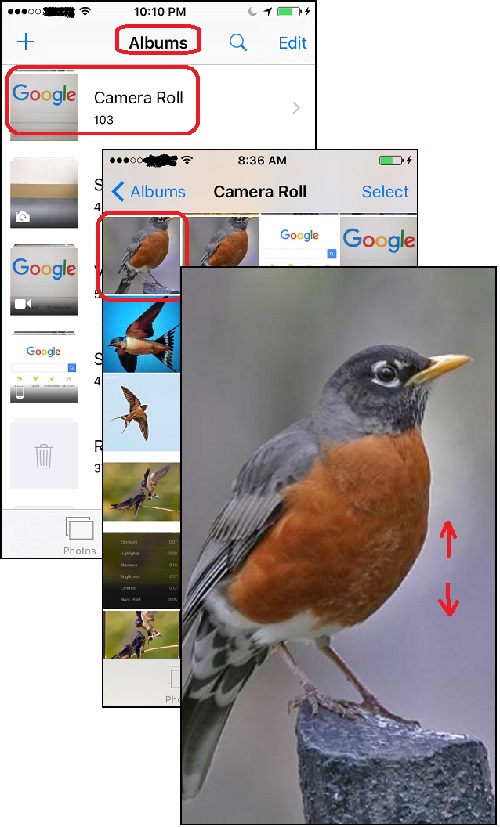
1. Open Photos app and tap on "Albums" near the bottom of the screen. You see your photos listed in different albums.
2. Tap on "Camera Roll" to open the camera roll. You see a list of photo previews displayed.
3. Tap on the photo you want to view. You see the full photo displayed on the screen.
4. Use the two-finger pinch out gesture on the screen to zoom in on the photo, or the pinch in gesture to zoom out.
5. Tap on screen and move your finger to move photo to see different parts of the photo.
The picture below shows you how to zoom in on a photo from the Camera Roll in Photos app
on your iPhone:
⇒ Deleting a Photo in iPhone Photos App
2017-07-15, ∼4171🔥, 0💬
Related Topics:

