Sign Out from iCloud on iPhone
How to sign out from iCloud on iPhone? I want to stop using iCloud services for some time.
✍: FYIcenter.com
 If you want to stop using iCloud services from your iPhone,
you can sign out from iCloud using these steps:
If you want to stop using iCloud services from your iPhone,
you can sign out from iCloud using these steps:
1. On your iPhone, go to "Settings > iCloud". You see a list of iCloud functions.
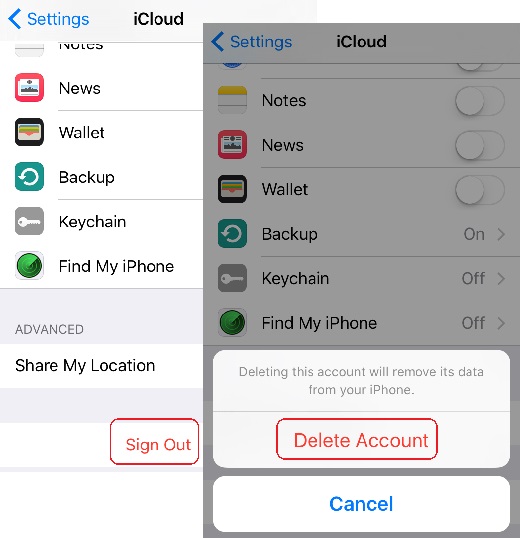
2. Go to the bottom of the list and tap on "Sign out". You see the "Delete Account" message:
Deleting this account will remove its data from your iPhone."
3. Tap on "Delete Account". Your iPhone will be disconnected from iCloud services and all iCloud data will be removed from your iPhone.
But your data saved in the iCloud server will stay there.
The picture below shows you how to sign out to iCloud from your iPhone:
⇒ iCloud Main Functions on iPhone
2017-04-13, ∼3295🔥, 0💬
Related Topics:
