Remote Camera Shutter with M3 Smart Bracelet
How to use my M3 Smart Bracelet as a remote camera shutter?
✍: FYIcenter.com
 If you want to use your M3 Smart Bracelet as a remote shutter
for the cell phone camera, you need to follow these steps:
If you want to use your M3 Smart Bracelet as a remote shutter
for the cell phone camera, you need to follow these steps:
1. Connect M3 Smart Bracelet with cell phone using FitPro app as shown in the previous tutorial.
2. Tap on "Set > Remote Shutter" on FitPro.
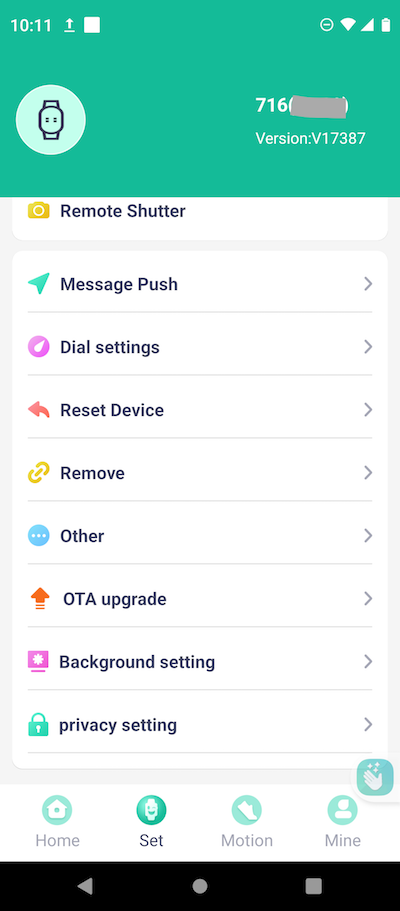
3. Wait for the cell phone camera to open under FitPro.
4. Place the cell phone remotely and facing the object you want to photograph.
6. Tap on the function button to turn on the bracelet screen.
7. Tap on the function button repeatedly until you see the "Camera" function screen.

8. Touch and hold the function button repeatedly to start the remote shutter.
9. After a 3-second delay, you will hear the cell phone camera taking a picture of the object.
Note that the camera will continue to take pictures after each 3 seconds, until you tap on the function button to stop it.
⇒ Music Play Control with M3 Smart Bracelet
2024-10-14, ∼2037🔥, 0💬
Related Topics:


