Background Services Created by Device Management
What are background services created by Device Management? Can I stop them to improve performance of my Motorola phone?
✍: FYIcenter.com
 Device Management is an app for your Motorola phone to allow you
to manage your phone remotely using Google online services.
Device Management is an app for your Motorola phone to allow you
to manage your phone remotely using Google online services.
There are 4 background Services CloudConnectService, CheckinService, OtaService, FotaController, started by Device Management app under the 3 processes, com.motorola.ccc, com.motorola.ccc.mainplm, com.google.android.webview.
1. Go to "Settings > Systems > Developer Options > Running Services". You see a list of apps, their running services, memory usages and execution times.
2. Tap on "Device Management" in the list. You see that it has 3 processes, which has 4 services.
Application: Device Management
|- com.google.android.webview
|- com.motorola.ccc
|- com.motorola.ccc.mainplm
   |- CloudConnectService
   |- CheckinService
   |- OtaService
   |- FotaController

Memory usage: 83 MB, execution time 71:57:35
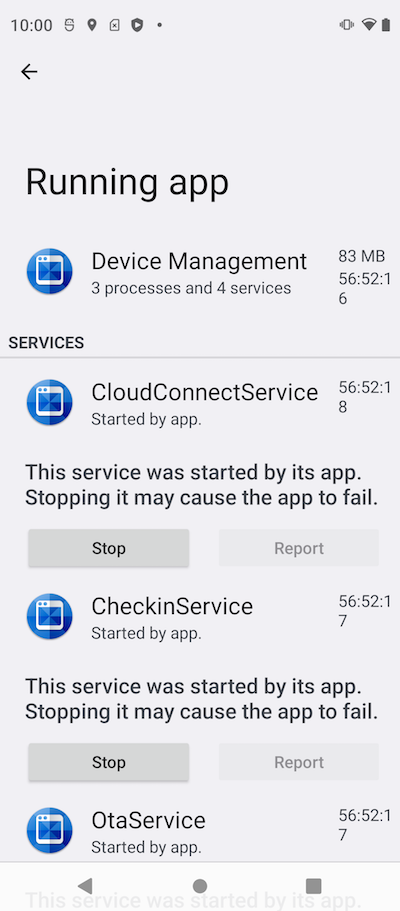
You can stop these services to improve phone performance, if you are not managing your phone remotely.
⇒ Background Services Created by Google Gboard
⇐ Background Services Created by CarrierExpress
2024-06-02, ≈12🔥, 1💬
Related Topics:
