Find and Identify People in Photos on macOS
How to find and identify people in photos on my macOS computer? I want to add names to people in my photos.
✍: FYIcenter.com
 macOS computer is smart and it scans each photos to identify people
by their faces.
If you want to name each person identified the computer, you can follow this tutorial.
macOS computer is smart and it scans each photos to identify people
by their faces.
If you want to name each person identified the computer, you can follow this tutorial.
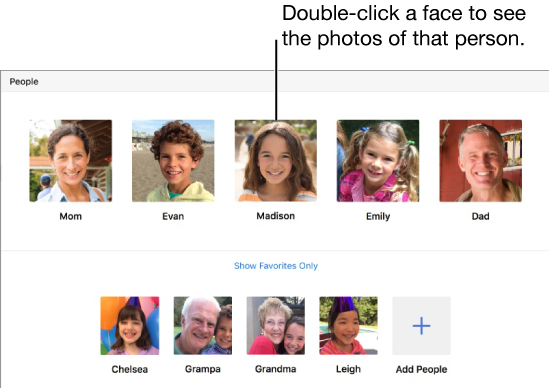
1. Click "People" on the left menu. You see a list of person's faces identified by the computer.
2. Click the name area below the face to add or change the person's name.
3. Click and drag a person's face to the top section to make him/her as favorite person.
4. Click "+" icon. You see more more faces identified from photos.
5. Select faces and click "Add" to add them in the people list.
6. If the same person being identified with 2 or more faces, you can merge them when you provide the same name to the second face.
7. Click a person's face. You see a list of photos with that person.
⇒ Multiple Photos Libraries on macOS
2023-05-31, ∼2443🔥, 0💬
Related Topics:
