Built-In App - My Files
Q
What is My Files on my Samsung tablet?
✍: FYIcenter.com
A
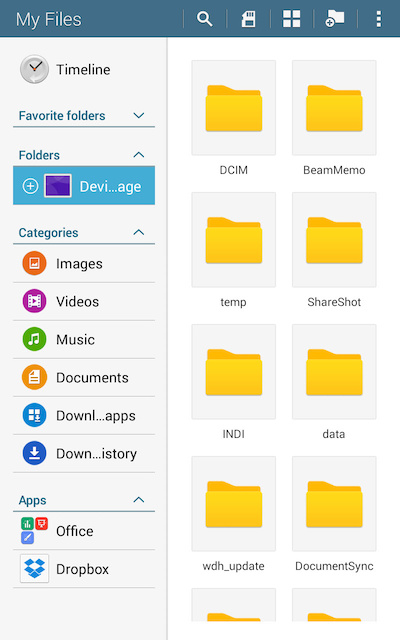
 "My Files" is a built-in app that allows you to manage files
on your Samsung tablet.
"My Files" is a built-in app that allows you to manage files
on your Samsung tablet.
1. Tap on "Apps > My Files". You see the "My Files" screen.
2. Tap any folders and files to see what files are on your Samsung tablet.
3. Depending on your tablet model, you may see a file folder tree like this:
Storage/
  emulated/
    0/
      Alarms/ - Audio files for custom alarm rings you have created
      Android/ - Data files created and managed by individual apps
      DCIM/ - Videos, photos and screenshot you have captured
      Documents/ - Document files created and shared by app
      Downloads/ - Downloaded files from Websites and emails
      Movies/ - Movie files created and shared by app
      Music/ - Music files created and shared by apps
      Notifications/ - Audio files for custom notification rings
      Pictures/ - Picture files created and shared by apps
      Ringtones/ - Audio files for custom call ringtones
      Samsung/ - Files created and managed by Samsung apps
      .../ - Other folders are created by various apps
⇒ Google Drive - Cloud Storage
⇐ Managing Files on Samsung Tablets
2023-01-06, ∼1818🔥, 0💬
Related Topics:


