Task Manager on Apps, RAM and Storage
Q
How to use Task Manager to manage active apps, RAM and storage?
✍: FYIcenter.com
A
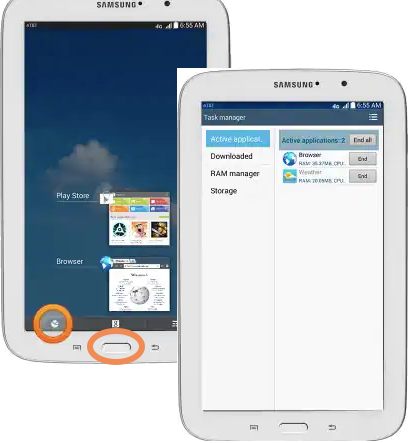
 Task Manager is built-in tool on Samsung tablets
for you to manage active apps, RAM and storage.
It offers 4 main functionalities:
Task Manager is built-in tool on Samsung tablets
for you to manage active apps, RAM and storage.
It offers 4 main functionalities:
1. Active applications - List of active apps with options to end or enter it.
2. Active applications - List of downloaded apps with storage size and uninstall option.
3. RAM manager - Display RAM usage and clear option.
4. Storage - Display storage usage, like 4.69GB/8.00GB.
⇒ Commonly Used Finger Gestures
⇐ Operating Your Samsung Galaxy Tablet
2023-02-03, ∼2365🔥, 0💬
Related Topics:


