Add Music Folder to iTunes Library on Mac
Q
How to add a single music file folder to iTunes music library on Mac?
✍: FYIcenter.com
A
 You can follow this tutorial to add a folder of multiple music files to
iTunes must library.
You can follow this tutorial to add a folder of multiple music files to
iTunes must library.
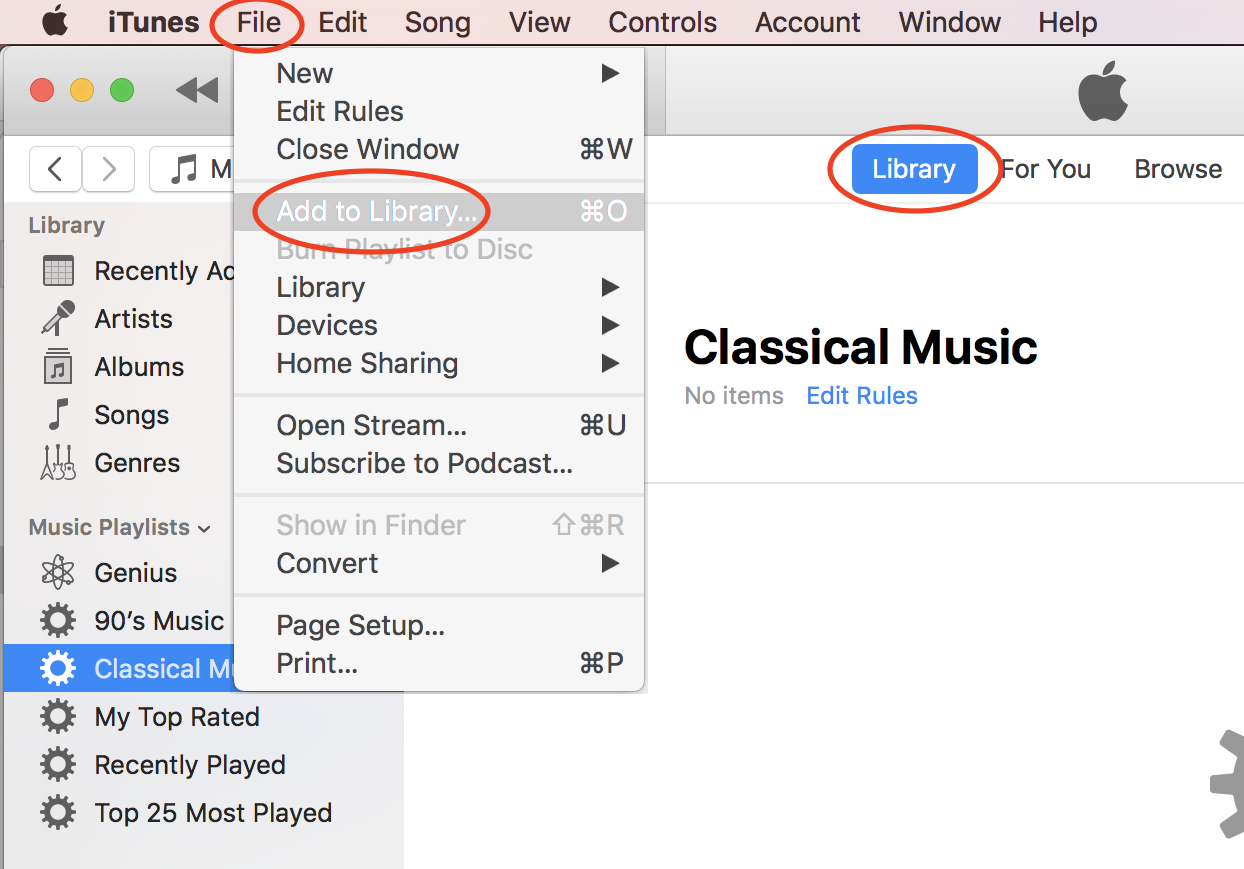
1. Start iTunes on your computer.
2. Click "File > Add to Library..." in the menu. You see a file browser displayed.
3. Browse the hard disk of your computer to locate the music file folder.
4. Select the music folder and click "Open". The selected file will be added to iTune music library.
5. Wait for iTunes to processing all music files in the selected folder.
⇒ View and Edit Music File Properties on Mac
⇐ Add Music Files to iTunes Library on Mac
2020-10-20, ∼2684🔥, 0💬
Related Topics:

