Download and Install iTunes Update on Mac
How to download and install iTunes update on Mac?
✍: FYIcenter.com
 If you see the "A new version of iTunes (...) is available..."
message, you should follow this tutorial to download
and install the iTunes update.
If you see the "A new version of iTunes (...) is available..."
message, you should follow this tutorial to download
and install the iTunes update.
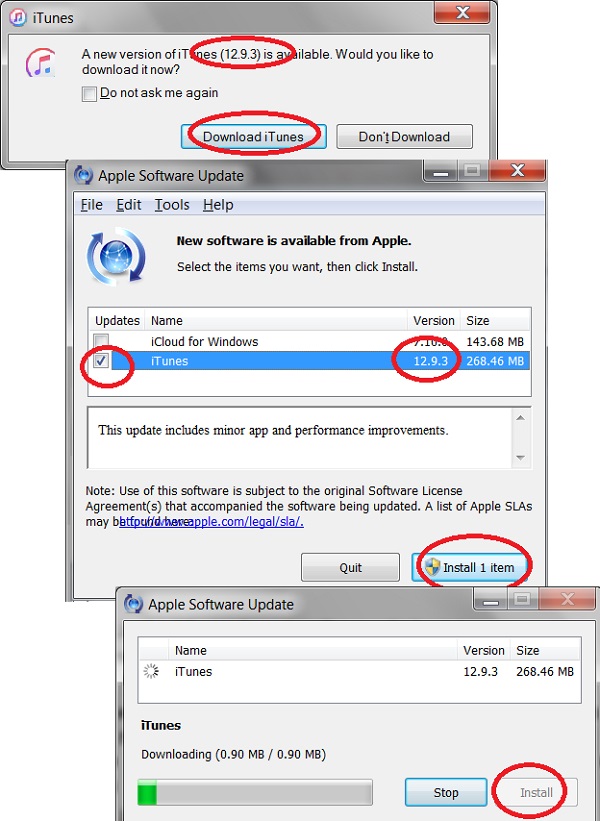
1. Click "Download iTunes" button on the "A new version of iTunes (...) is available..." message box. You see the "Apple Software Update" screen.
2. Check checkbox next the iTunes version listed on the update list.
3. Click "Install 1 item" button. You see the download status screen.
4. Wait for the download to finish.
5. Click the "Install" button to install the update.
6. Restart your computer and run iTunes. You should see the new version running.
⇒ Manage iPhone from iTunes on Mac
⇐ Check for iTunes Updates on Mac
2021-04-04, ∼2255🔥, 0💬
Related Topics:
