Download and Install iTunes for Mac
How to Download and Install iTunes for Mac?
✍: FYIcenter.com
 If you are Mac computer user and have an iPhone or iPad, you should follow this tutorial
to download and install iTunes for Mac.
If you are Mac computer user and have an iPhone or iPad, you should follow this tutorial
to download and install iTunes for Mac.
1. Make sure your Mac computer is connected to the Internet.
2. Run a Web browser and go to iTunes for Mac Web site at apple.com/itunes/download.
3. Click the download iTunes 12.8 link below "iTunes for Mac".
4. Save the download file to ~/Downloads/iTunes.dmg. The file size is about 275.9 MB.
5. Wait for the download to finish. It may take some time, since the file is about 276 MB.
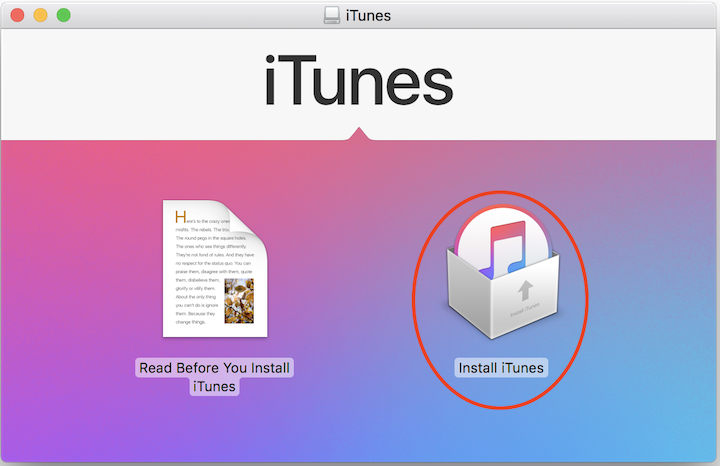
6. Double-click ~/Downloads/iTunes.dmg to start installation. You see the installation wizard displayed.
7. Click "Install iTunes" and follow instructions to finish the installation.
iTunes is ready to use on your Mac computer.
⇒ Start iTunes for Mac First Time
⇐ Install and Upgrade iTunes on Mac
2021-04-04, ∼2510🔥, 0💬
Related Topics:

