Play Music with Bluetooth Earphone on iPhone
How to play music on my Bluetooth earphone connected to my iPhone?
✍: FYIcenter.com
 Here are the correct steps to play music on your Bluetooth earphone connected to your iPhone.
1. Make sure your Bluetooth earphone is connected correctly to your iPhone.
2. Tap on "Music" on your home screen to launch the "Music" app.
3. Select and play a music from your music library. You should hear the music in your Bluetooth earphone.
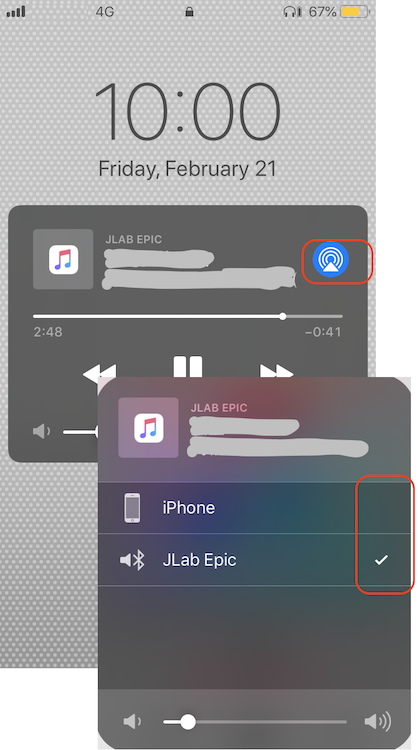
4. Tap on the "Speaker" icon. You should see two option:
iPhone
JLan Epic (Bluetooth earphone) - Checked
You can change where the music is played by tapping the speaker options.
The picture below shows you the error when browsing files on your iPhone over Bluetooth connection from your macOS computer:
⇒ Connected to Wrong Bluetooth Device from iPhone
2020-03-14, ∼2968🔥, 0💬

