Access Table of Contents of eBook
Q
How to access the table of contents of an eBook on iBooks?
✍: FYIcenter.com
A
 You can follow this tutorial to access the table of contents of an eBook on iBooks.
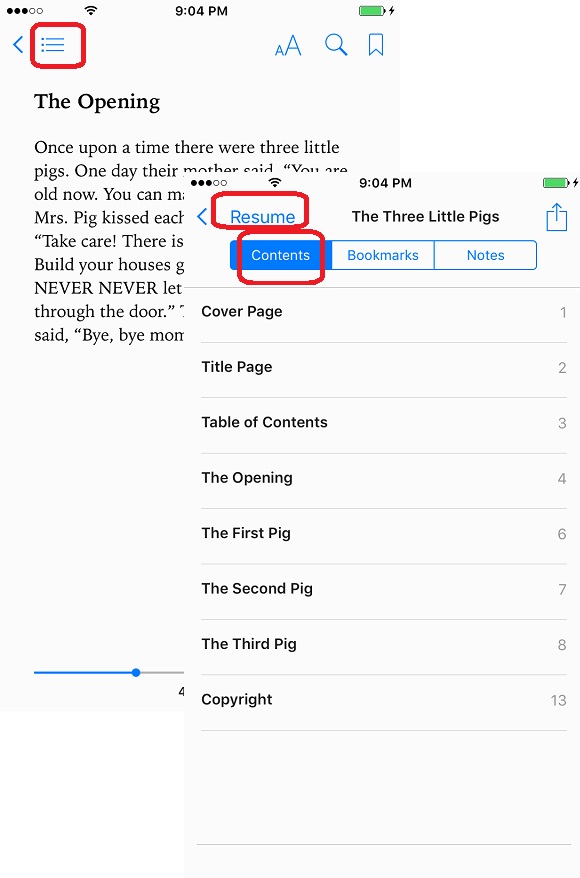
1. Launch iBooks and open the eBook you just downloaded "The Three Little Pigs". The first page of the book content is displayed.
2. Tap on the menu icon near the top left corner. You see menu tabs.
3. Select "Contents" tab. You see the Table of Contents of the book.
4. You can tap on any entry to jump to that part of the book.
5. Or you can tap on "Resume" to resume reading from where you stopped last time.
The picture below shows you how to access the table of contents of an eBook on iBooks:
2018-06-12, ∼3857🔥, 0💬
Related Topics:
