Import Pictures from LG Phone Not Working
Why the "Import pictures and videos" function is not working when my LG phone is connected to my Windows computer?
✍: FYIcenter.com
 If you try to use the "Import pictures and videos" function
on the AutoPlay interface with your LG phone connected to your Windows computer,
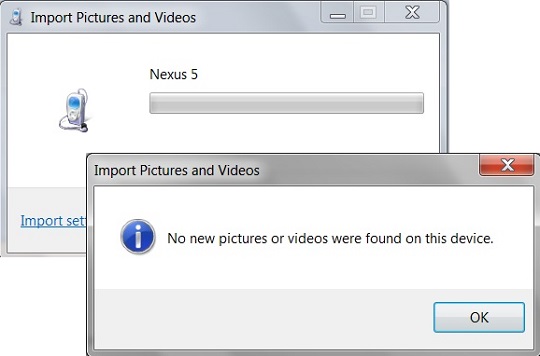
you may see the "No new pictures or videos were found on this device"
message box.
If you try to use the "Import pictures and videos" function
on the AutoPlay interface with your LG phone connected to your Windows computer,
you may see the "No new pictures or videos were found on this device"
message box.
But you know that there are new pictures on your LG phone. So what is the problem?
The most common cause is that the USB connection is set in charging mode on your LG phone, not the File Transfer mode.
You need to go to your LG phone, and change the USB connection to File Transfer mode from the status pull-down menu.
The following picture shows you the
Import Picture Error from LG Phone to Windows:
⇒ Manage Pictures on LG Phone with USB Connection
⇐ Import Pictures from LG Phone to Windows
2024-01-27, ∼5650🔥, 11💬
Related Topics:

💬 2019-04-13 FYIcenter.com: @Angela, what are the symptoms? Are there any error messages?
💬 2019-04-11 Angela self: I'm being hacked by the LG phone and windows on computer help
