Reviewing iCloud Settings on iPhone
Q
How to review and change iCloud settings on my iPhone?
✍: FYIcenter.com
A
It is always a good idea to review and change iCloud settings on your iPhone once a while.
1. Tap on "Settings" on the Home screen.
2. Scroll down and tap "iCloud". iCloud settings are listed.
3. Review and change each setting:
- Mail - Turn it off. You don't need it unless you have an iCloud.com email account.
- Contacts - Turn it on. This will keep your contacts in sync between your Apple devices.
- Calendars - Turn it on. This will keep your calendars in sync between your Apple devices.
- Safari - Turn it on. This will keep your Safari bookmarks in sync between your Apple devices.
- Notes - Turn it off. It requires iCloud.com email account.
- Passbook - Turn it on. This will keep your passbook in sync between your Apple devices.
- Keychain - Turn it off. You don't want iCloud to keep your bank account passwords.
- Photos - Turn it on. This will let you view your photos from your other Apple devices. But turn off "Photo Sharing" to keep your photos private.
- Documents & Data - Turn it on. This allows document sharing on your Apple devices if you have the same app running. But turn off "Use Cellular Data" to use Wi-Fi only to save money.
- Find My iPhone - Turn it on. Just in case your lost your iPhone.
- Storage & Backup - Turn it on. This is probably the most important service. It automatically backs up your iPhone data into the iCloud storage.
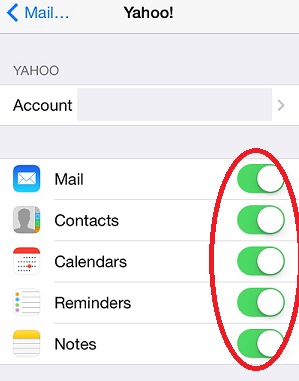
The picture below shows you iCloud settings on iPhone:

2014-06-11, ∼3395🔥, 0💬
Related Topics: