Send Attachments in Samsung "Email"
How to add attachments to email messages to send out with Samsung "Email"?
✍: FYIcenter.com
 You can follow these steps to add attachments to email messages
to send out with Samsung "Email".
You can follow these steps to add attachments to email messages
to send out with Samsung "Email".
1. Tap on "Mail" app to open it. You see a list of email messages from existing email accounts.
2. Tap on compose icon near the bottom right corner. You see the email message composing screen.
3. Enter recipient's email address, subject and message text.
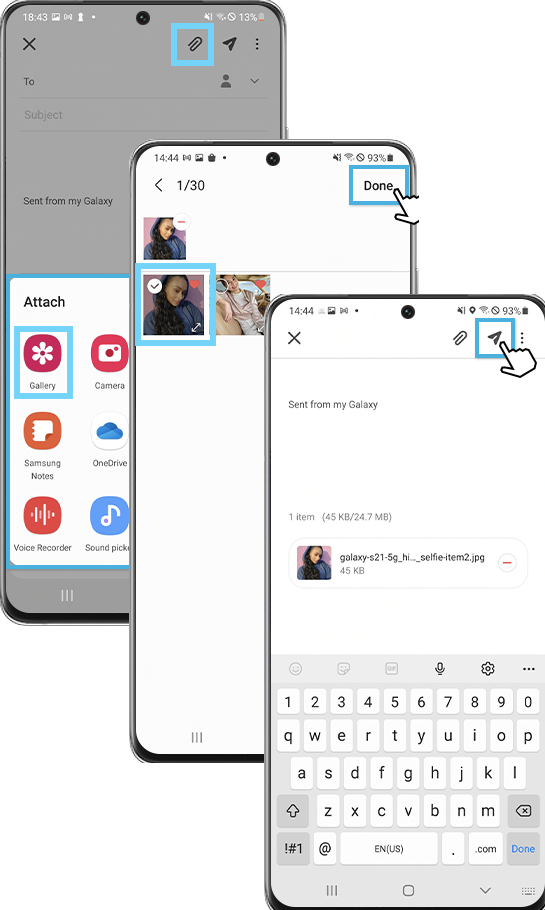
4. Tap on attachment icon near the top right corner. You see a list of apps from which you can select their files to attach.
5. Tap on "Gallery" and select one or multiple picture. You see thumbnails of selected pictures attached at the end of email message text.
6. Tap on send icon near the top right corner. Attachments will be sent with the email message.
⇒ Download Attachments in Samsung "Email"
2022-09-12, ∼2777🔥, 0💬
Related Topics:

