Apple AirPods Settings on iPhone
Q
Where to find AirPods settings on my iPhone?
✍: FYIcenter.com
A
 AirPods settings on your iPhone are located under Settings > Bluetooth.
Here is how to find them and change them.
AirPods settings on your iPhone are located under Settings > Bluetooth.
Here is how to find them and change them.
1. Put AirPods in your ears and reconnect them with your iPhone as shown in the last tutorial.
2. Tap on "Settings > Bluetooth" on you iPhone. You see "AirPods" listed as a connected device.
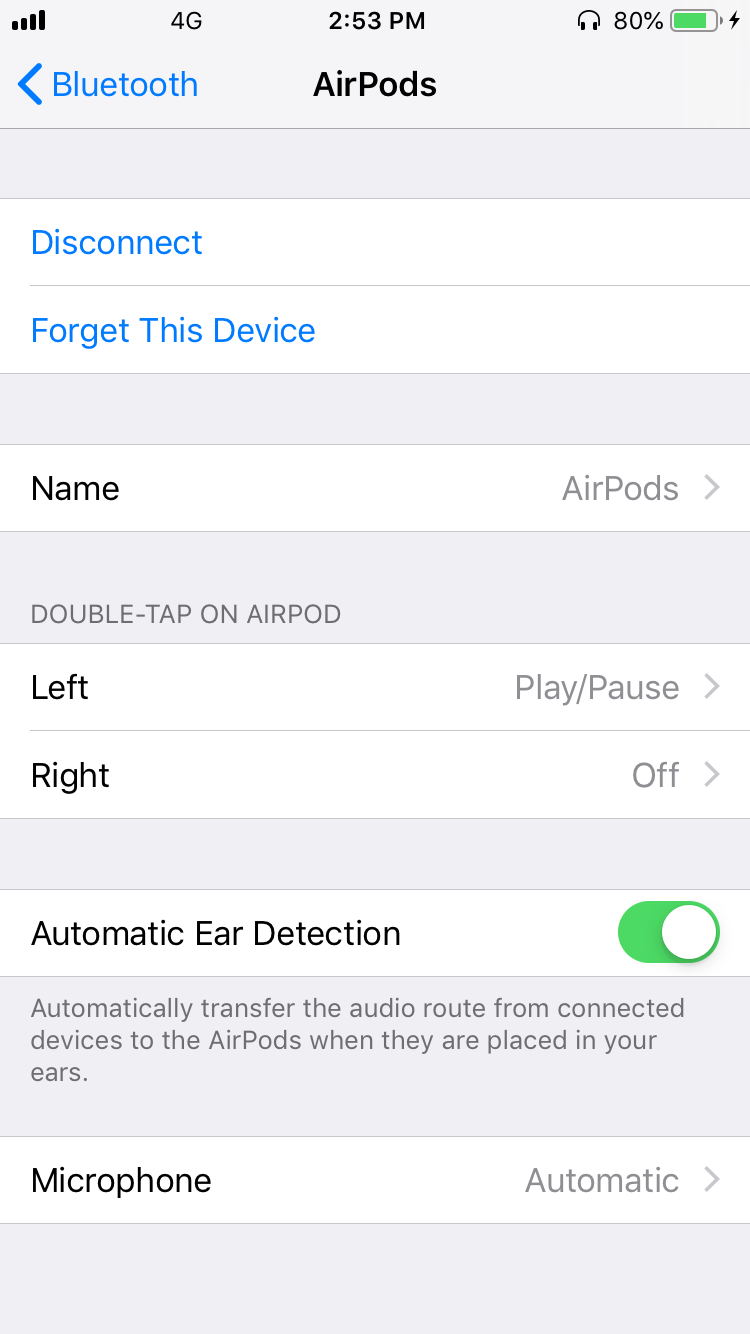
3. Tap on (i) next to "AirPods". You see a list of AirPods settings as shown below:
Name                 AirPods

DOUBLE-TAP ON AIRPOD
  Left            Play/Pause
  Right                  Off

Automatic Ear Detection   On

Microphone         Automatic
⇒ Double-Tap Commands on Apple AirPods
2021-02-04, ∼2557🔥, 0💬
Related Topics:
