What Is iMessage
What Is iMessage? Can I used it on my iPhone?
✍: FYIcenter.com
 iMessage is an Apple specific technology
that allows you to send and receive texts, photos, videos, and audio messages
with Apple device users.
iMessage is an Apple specific technology
that allows you to send and receive texts, photos, videos, and audio messages
with Apple device users.
Yes, you can use the iMessage technology on your iPhone using the Messages app. If you send and receive messages with a friend who is also using an iPhone, the Messages app will automatically uses the iMessage technology. "Settings > Messages > iMessage > On/Off" controls this behavior.
Using the iMessage technology to send and receive messages requires your iPhone to have Internet connection through a WiFi hotspot or the celluar data service from your wireless carrier.
Using the iMessage technology, you can send and receive texts, photos, videos, and audio messages, similar to the MMS (Multimedia Messaging Service) technology.
The the iMessage technology also gives you some other nice feature that are not available in MMS. For example:
- If you send a video or a link to YouTube, the recipient can watch the video right in Messages, without going out to another app. Links open in Messages rather than Safari.
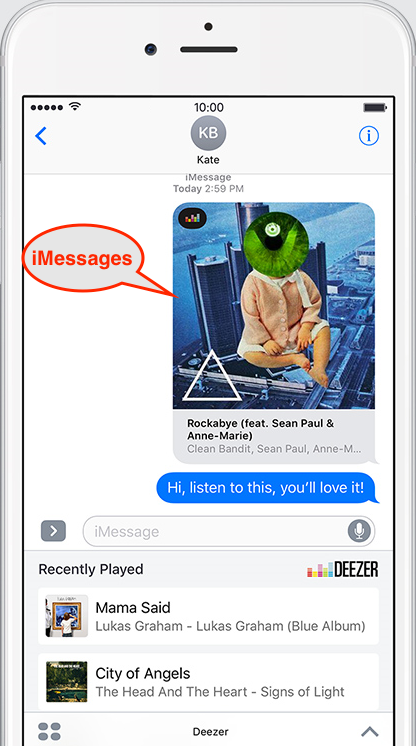
- If you share an Apple Music song, the recipient can stream the song right in Messages.
- If you share an Apple Music song, the recipient can stream the song right
The only issue with the iMessage technology is that it requires recipients to use iPhone or other Apple devices.
The picture below shows you a Messages screen sharing music with iMessage technology on iPhone:
⇒ Turn On/Off iMessage Function on iPhone
2021-05-04, ∼2758🔥, 0💬
Related Topics:

